
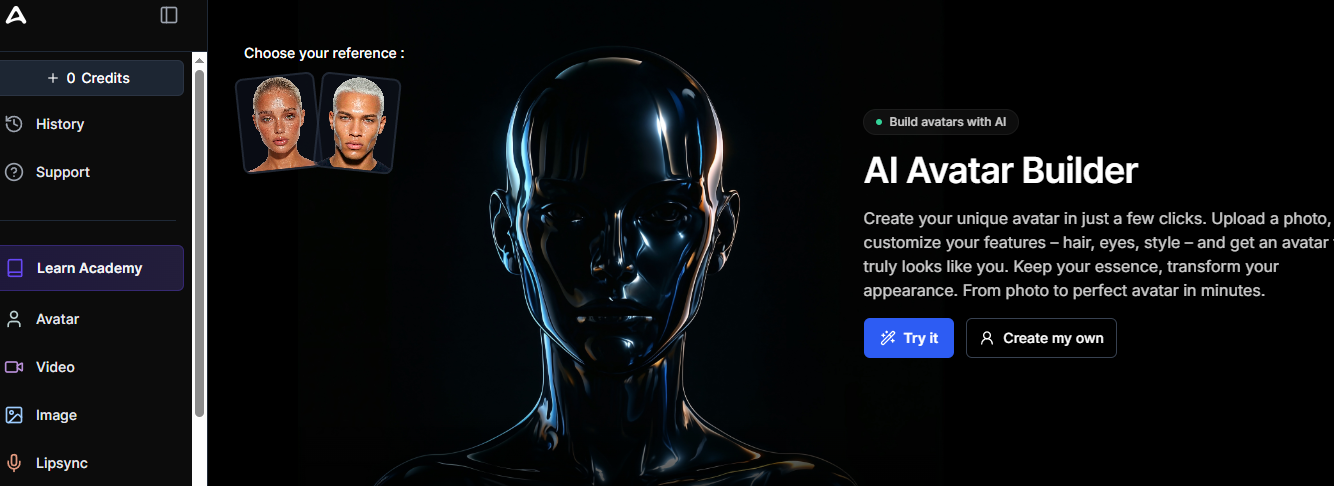
In today’s ever-evolving digital world, businesses and creatives are constantly looking for ways to work smarter, faster, and more efficiently. Artificial Intelligence (AI) has become the foundation of modern productivity, enabling brands to automate workflows, create high-quality content, enhance customer experience, and scale operations without increasing costs. Alexya AI is a fast-growing platform in this space.
Alexya AI is an AI-powered platform for content automation and analytics that simplifies complex tasks in marketing, customer service, sales, and business processes. By combining natural language processing (NLP), machine learning, and intelligent automation tools, Alexya AI helps users save time, reduce errors, and achieve better results with minimal technical expertise.
What is Alexya AI?
Alexya AI is a cloud-based AI platform that provides a set of tools for content creation, workflow automation, customer engagement, and data-driven decision-making. Use powerful AI models to understand human language, provide natural responses, and automate repetitive tasks across a variety of industries.
Alexya AI stands out for its ease of use, scalability, and high level of customization. Users can integrate it into their existing workflows, connect it to their most common business tools, and tailor it for specific purposes, such as SEO content creation, social media management, chatbot deployment, lead generation, and internal process automation.
Unlike many specialized AI tools, Alexya AI positions itself as a versatile AI productivity platform. It is ideal for those who need a centralized system for content management, communication, and automation without having to use multiple applications at once.
Key Features of Alexya AI
Alexya AI impresses with its flexible features and is suitable for both beginners and advanced users. The following key features make Alexya AI a powerful and competitive AI platform.
1. AI-powered content generation
Alexya AI offers advanced AI-powered writing tools that allow users to create:
- SEO-optimised articles and blog posts
- Website content and landing pages
- Social media headlines and ads
- Product descriptions
- Email campaigns
The AI engine ensures natural, grammatically correct, and contextually relevant content, which is ideal for business use.
2. Workflow automation
One of the strengths of Alexya AI is its automation mechanism. Users can create workflows to:
- Automate customer inquiries
- Send emails and notifications
- Manage CRM updates
- Process form submissions
- Schedule tasks and reminders
This functionality significantly reduces manual effort and improves operational efficiency.
3. AI-powered chatbots and customer service
With Alexya AI, businesses can implement intelligent chatbots on their websites, apps, and messaging platforms. These chatbots can:
- Answer frequently asked questions
- Guide users to a product or service
- Collect data on leads and customers
- Offer 24/7 support
This improves customer satisfaction and reduces the need for large support teams.
4. SEO and marketing analytics
For digital marketing professionals, Alexya AI integrates SEO tools that make it easy to do:
- Keyword research and optimization;
- Generation of title tags and meta descriptions;
- Content readability analysis;
- Search intent suggestions.
These features contribute to better content rankings on Google and other search engines.
5. Analytics and Data
Alexya AI provides performance tracking dashboards to monitor:
- Content engagement;
- Conversion rates;
- Customer interactions;
- Automation effectiveness.
This data helps businesses make informed, data-driven decisions.
6. Integrations and API access
Alexya AI integrates with the most popular platforms, including:
- CRM systems
- Email software
- E-commerce platforms
- Project management systems
API access provides developers with the following capabilities:
How to Use Alexya AI?
Getting started with Alexya AI is incredibly easy, even for users with little to no technical expertise. Here’s a step-by-step guide to using the platform effectively.
Step 1: Register and Create an Account
Visit the official Alexya AI website and create an account using your email address or social media profile. After registering, you’ll have access to your dashboard.
Step 2: Select Tools
On the main dashboard, select the tools you need, such as:
- AI Content Generator
- Chatbot Builder
- Workflow Automation
- SEO Tools
Step 3: Define Your Goals
Define your goals. For example:
- Increase website traffic
- Automate customer support
- Create marketing content
- Improve lead generation
Step 4: Customize and configure
Adjust settings like language style, preferred language, automation triggers, and chatbot behaviour.
Step 5: Deploy and monitor
Launch your AI tools and monitor their performance with an integrated analytics dashboard. Optimize your workflow and content based on the results.
Who uses Alexya AI?
Alexya AI is designed for a wide audience across a variety of industries. Here are some of the most common user groups:
1. Digital marketers
Marketers use Alexya AI for SEO content, social media campaigns, email marketing, and copywriting.
2. Small Business Owners
Business owners rely on Alexya AI to automate customer service, manage leads, and create professional marketing content without hiring a large team.
3. Content Creators and Bloggers
Writers and bloggers use Alexya AI to generate article ideas, schedule blog posts, and create search engine optimized content.
4. E-Commerce
Online stores use Alexya AI for product descriptions, chat support, and marketing automation.
5. Businesses and Corporations
Large organizations integrate Alexia AI into their CRM systems and internal workflows to automate processes and leverage AI-powered data analytics.
6. Students and Teachers
Students use Alexya AI for research, resume writing, and content creation, while teachers use it for lesson planning and communication.
Use Cases for Alexya AI
Thanks to its flexibility, Alexya AI is suitable for a wide variety of practical applications. Here are some of the most common use cases:
1. Writing SEO-optimized blog posts
Alexya AI helps users create SEO-optimised blog posts with relevant keywords, titles, and metadata to improve their Google rankings.
2. Lead Generation
With AI chatbots and automated forms, businesses can generate and qualify leads 24/7.
3. Customer Service Automation
Implement AI chatbots to answer frequently asked questions, reduce response times, and increase customer satisfaction.
4. Social Media Management
Create compelling headlines, hashtags, and ads for platforms like Instagram, Facebook, LinkedIn, and Twitter.
5. Email Campaigns
Create personalized email sequences for promotions, onboarding, and customer retention.
6. Internal Process Automation
Automate your internal processes like task assignment, reporting, and data entry.
Alexya AI Pricing
Alexya AI offers flexible plans for individuals, small businesses, and large corporations.
Free Plan
- AI Content Generation (Limited)
- Chatbot Basics
- Community Support
Starter Plan
- Monthly Subscription
- Advanced AI Content Creation Tools
- SEO Optimisation Features
- Email Support
Professional Plan
- Fully Automated Workflows
- Advanced Analytics
- CRM & Third-Party Integrations
- Priority Support
Enterprise Plan
- Custom Pricing
- API Access
- Dedicated Account Manager
- Enterprise-Grade Security
Benefits of Alexya AI
Alexya AI offers numerous benefits, including:
- Increase Productivity Through Automation
- Creation of High-Quality, SEO-Optimized Content
- Improved Customer Experience with AI Chatbots
- Scalable Solution for Growing Businesses
Frequently Asked Questions
1. Is Alexya AI free?
Alexya AI offers a free version with limited features. Paid versions offer advanced tools and higher usage limits.
2. Can Alexya AI create SEO-optimised content?
Yes, Alexya AI is designed to create SEO-optimised content, including articles with title tags, descriptions, and relevant keywords.
3. Is Alexya AI suitable for beginners?
Absolutely. The platform is intuitive and requires no programming knowledge.
4. Is Alexya AI multilingual?
Yes, Alexya AI is multilingual, making it ideal for international businesses.
5. Can I integrate Alexya AI with my existing tools?
Yes, Alexya AI integrates with CRM systems, email marketing platforms, and other business software.
Conclusion
Alexya AI is a powerful, flexible, and intuitive AI platform that empowers users and businesses to optimize their operations, create high-quality content, and increase customer engagement. With a variety of features, including AI-powered content generation, workflow automation, SEO tools, chatbots, and analytics, Alexya AI positions itself as a comprehensive solution for today’s digital needs.
Whether you’re a marketing professional looking to improve your SEO, an entrepreneur looking to automate your customer service, or a content creator looking to quickly create engaging content, Alexya AI provides the tools and scalability you need to achieve your goals.
As artificial intelligence increasingly shapes the future of work, implementing a platform like Alexya AI can give you a competitive edge, save you time, and open up new avenues for growth. If you're looking for a reliable, SEO-optimised AI solution that focuses on your business needs, Alexya AI deserves your full attention.