Long-form videos are powerful, but short-form content is dominating the internet right now. Platforms like YouTube, Instagram, and TikTok are heavily pushing Shorts, Reels, and vertical clips because they keep users watching longer.
The problem?
Manually editing long videos into short clips takes hours.
That’s where AI changes everything.
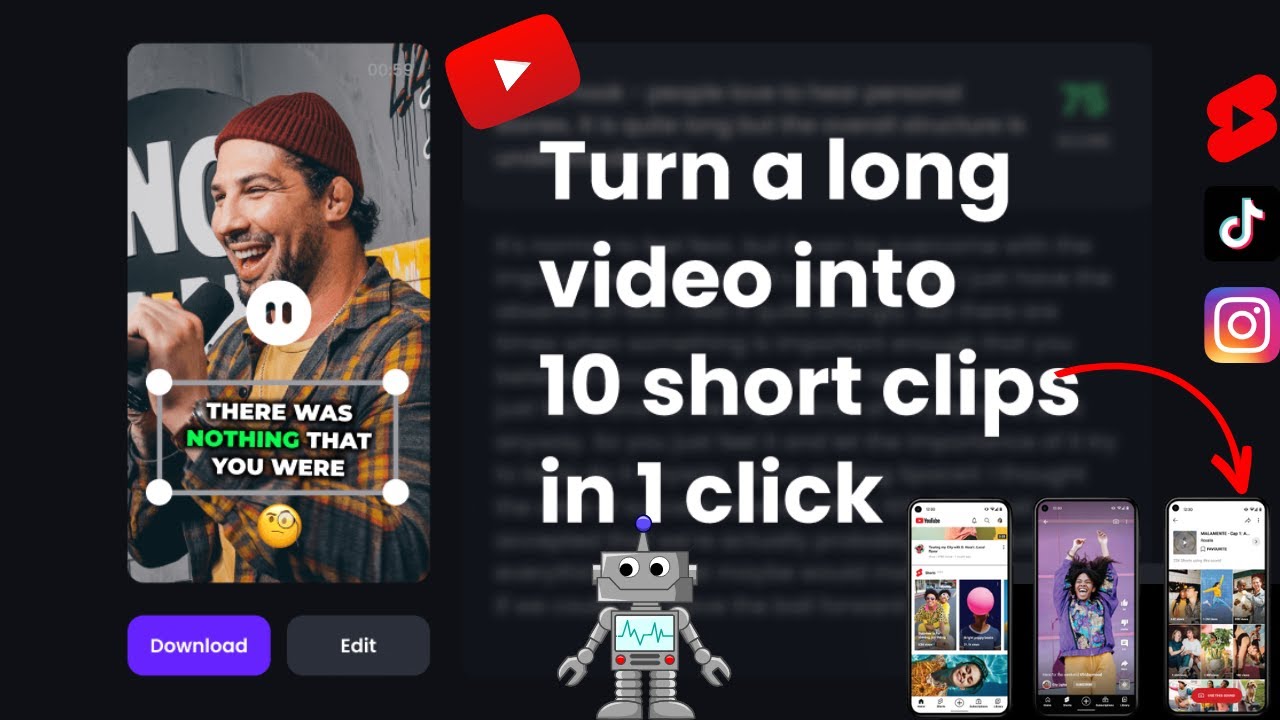
Today, creators are using AI shorts generators to automatically detect viral moments, add captions, crop videos for mobile screens, and produce multiple short clips in minutes instead of days.
In this step-by-step guide, you’ll learn how to turn long videos into viral Shorts using AI tools, even if you have zero video editing experience.
Whether you’re a YouTuber, podcaster, coach, educator, or business owner, this tutorial will help you repurpose content faster and grow your audience efficiently.
Why AI Shorts Are Exploding Right Now
Short-form content has become one of the fastest ways to gain reach online.
A single long video can now generate:
- Multiple YouTube Shorts
- Instagram Reels
- TikTok videos
- Facebook clips
- LinkedIn snippets
Creators are no longer making one piece of content at a time. Instead, they’re using AI tools for beginners to turn one video into 10–30 short clips automatically.
This strategy saves time and dramatically increases visibility across platforms.
What You’ll Need
Before starting, prepare these essentials.
1. A Long Video
This could be:
- A podcast
- YouTube video
- Webinar
- Tutorial
- Interview
- Livestream
- Online course recording
Even a simple Zoom recording can work.
2. AI Shorts Generator Tool
Here are some of the best AI tools for Shorts creation right now:
Some tools offer free plans with limited exports.
3. Internet Connection and Basic Editing Skills
The good news is you don’t need professional editing knowledge anymore. Most AI video clipping tools automate nearly everything.
How to Turn Long Videos into Viral Shorts Using AI
Step 1: Choose the Right Long Video
Not every long video produces good Shorts.
The best videos contain:
- Strong opinions
- Tips and hacks
- Emotional moments
- Surprising facts
- Fast-paced explanations
- Storytelling sections
Good Examples
- “3 mistakes beginners make with AI tools”
- “How I gained 10K followers in 30 days”
- “The biggest YouTube editing mistake”
AI tools perform best when the content already has engaging moments.
Step 2: Upload Your Video to an AI Shorts Generator
Let’s use Opus Clip as an example because it’s one of the most popular AI shorts generators right now.
How to Use AI for Shorts Creation
- Open the platform
- Upload your long-form video
- Wait for AI analysis
- Let the tool detect key moments
- Review generated clips
- Export your favourite Shorts
Most tools automatically:
- Detect speech
- Identify viral-worthy moments
- Add captions
- Resize videos vertically
- Focus on speakers automatically
This process can take just a few minutes.
Step 3: Let AI Detect Viral Moments
This is where AI becomes incredibly powerful.
Modern AI video tools analyze:
- Voice tone
- Engagement potential
- Emotional spikes
- Speech patterns
- Hook strength
The software then automatically creates multiple short clips.
For example:
A 45-minute podcast might generate:
- 12 motivational clips
- 8 educational Shorts
- 5 funny reactions
- 4 controversial snippets
Instead of manually searching for highlights, AI handles the hard work.
Step 4: Add Captions and Dynamic Text
Captions are essential for viral Shorts.
Many people watch videos without sound, especially on mobile devices.
AI caption tools automatically:
- Generate subtitles
- Highlight keywords
- Animate text
- Sync captions with speech
Why Captions Matter
Videos with captions often get:
- Better retention
- Higher watch time
- More engagement
- Improved accessibility
Most AI tools already include automatic caption generation.
Step 5: Optimize the Short for Virality
This step separates average clips from high-performing content.
Focus on the First 3 Seconds
Your opening should immediately grab attention.
Examples:
- “Nobody talks about this AI trick…”
- “This saved me hours every week.”
- “Most creators are doing this wrong.”
Avoid slow intros.
Keep Shorts Fast-Paced
Successful Shorts usually:
- Remove unnecessary pauses
- Cut filler words
- Change visuals frequently
- Use zoom effects or movement
AI editing tools can automate some of these effects.
Use Vertical Format Properly
Short-form platforms prefer 9:16 vertical videos.
Most AI shorts generators automatically convert widescreen videos into mobile-friendly layouts.
Step 6: Export and Upload
Once your clips are ready:
- Export in HD
- Use platform-specific captions
- Add hashtags carefully
- Write curiosity-driven titles
Example Titles
- “This AI Tool Saves Me 5 Hours Daily”
- “I Tested 3 AI Video Editors”
- “The Fastest Way to Create Viral Shorts”
Avoid clickbait that feels misleading.
Best AI Tools for Creating Viral Shorts
1. Opus Clip
Why Creators Love It
- Automatic viral clip detection
- AI captions
- Vertical reframing
- Social-ready exports
Best for:
Podcasters, YouTubers, educators
2. Vizard
Key Features
- Fast cloud editing
- Auto subtitles
- Clip organization
- Easy workflow
Best for:
Beginners and marketers
3. CapCut
Why It’s Popular
- Free editing features
- Excellent caption tools
- Mobile-friendly
- Great transitions
Best for:
Instagram Reels and TikTok
4. Klap
Useful For
- Podcast clips
- Talking-head content
- Fast repurposing
Best for:
Faceless and educational creators
Real-Life Example: Turning One Podcast into 20 Shorts
Imagine you recorded a 60-minute podcast about productivity.
Traditionally, editing clips manually could take:
- 4–6 hours
- Multiple editing revisions
- Captioning work
- Resizing for different platforms
Now with AI:
- Upload the podcast
- AI identifies engaging moments
- Captions are generated automatically
- Videos are cropped vertically
- Multiple Shorts are exported
Final Outcome
From one podcast episode, you could create:
- 20 YouTube Shorts
- 15 Instagram Reels
- 10 TikTok clips
This dramatically increases content output without creating new material from scratch.
Tips to Make AI Shorts Perform Better
Use Strong Hooks
The beginning determines whether viewers keep watching.
Keep Clips Short
Most successful Shorts are between:
- 15–45 seconds
Longer clips can work, but shorter ones usually perform better.
Add Movement Frequently
Even small zoom-ins or text animations improve retention.
Use Bold Captions
Dynamic subtitles help maintain attention.
Remove Slow Sections
Silence and filler words reduce watch time.
Post Consistently
One viral Short can boost your entire channel, but consistency matters more.
How Creators Monetize AI Shorts
Many creators use this strategy to:
- Grow YouTube channels
- Build personal brands
- Generate affiliate income
- Promote courses
- Increase podcast listeners
- Drive traffic to websites
Short-form content acts like a discovery engine for larger content ecosystems.
Conclusion
Learning how to turn long videos into viral Shorts using AI is one of the smartest content strategies available today.
Instead of spending countless hours manually editing clips, AI tools now help creators:
- Detect engaging moments
- Add captions automatically
- Reformat videos for mobile
- Export multiple Shorts quickly
Tools like Opus Clip, Vizard AI, and CapCut make this process accessible even for complete beginners.



%3A%20How%20to%Use%20&media=https://airesult.ai/logos/turn-long-videos-into-shorts.jpg)